iOS集成新浪微博第三方登錄詳解(1)
編輯:IOS技巧綜合
[摘要]本文是對iOS集成新浪微博第三方登錄的講解,對學習IOS蘋果軟件開發有所幫助,與大家分享。
 2.3.前往Parse用戶注冊並下載SDK。
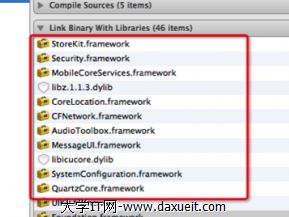
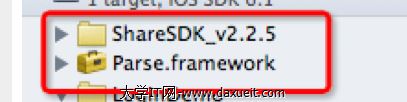 選中工程項目進入“Build Phases”在“Link Binary With Libraries”中點擊“+”號,按照ShareSDK的集成文檔與Parse的文檔說明把需要引入的庫加入到項目中
1.前言
不多說,第三登錄無處不在!必備技能,今天以新浪微博為例。 可以和今天的一起集成使用。2.集成前的准備工作
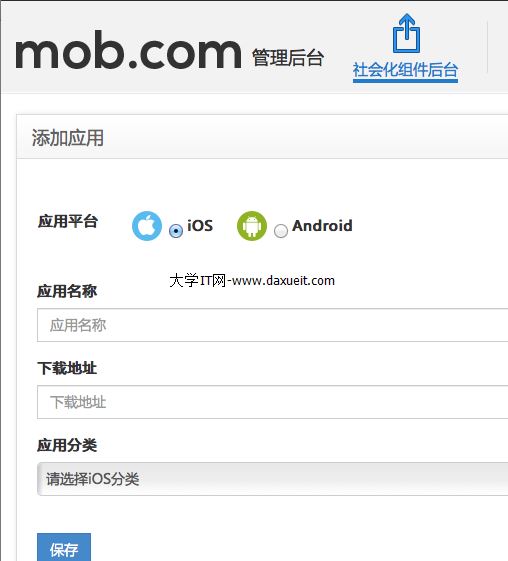
2.1.去ShareSDK(現為Mob)注冊帳號,下載SDK,然後添加自己的應用後得到AppKey
下載地址:http://sharesdk.cn/Download
2.2.申請第三方登錄的Appkey
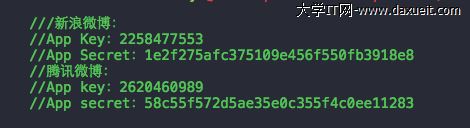
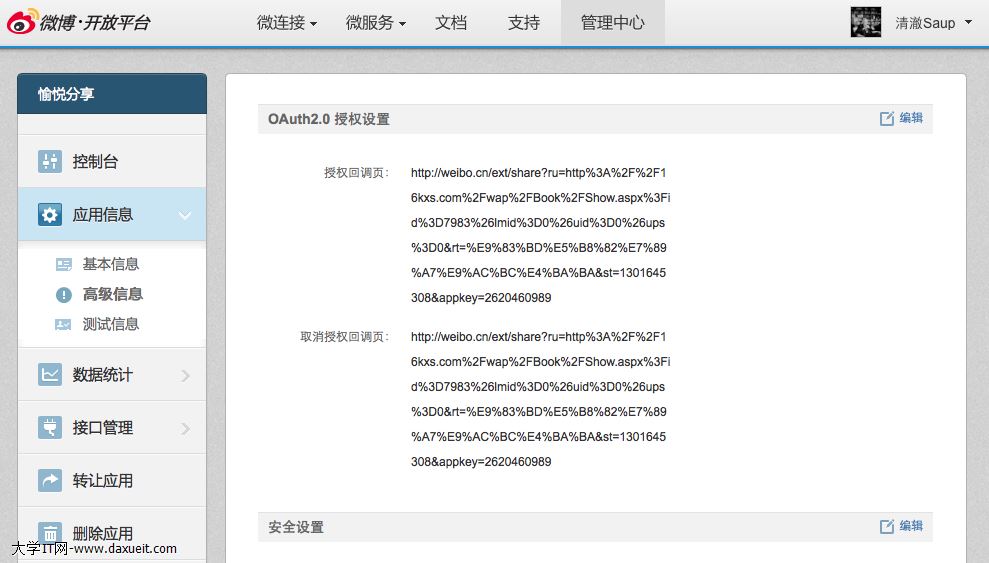
例如: 新浪微博、騰訊微博、QQ、微信、豆瓣應用、人人網、QQ空間 去各大社交網站的開發者平台,進行注冊,添加應用即可得到。 獲取如下:
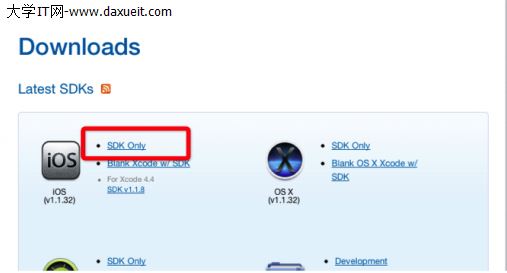
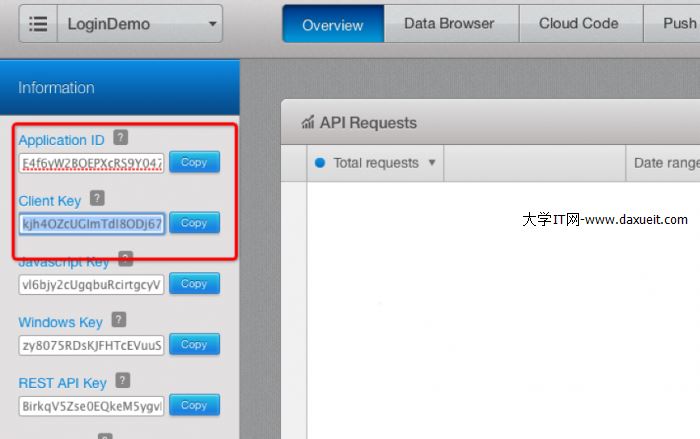
2.3.前往Parse用戶注冊並下載SDK。
3.集成shareSDK
3.1.導SDK
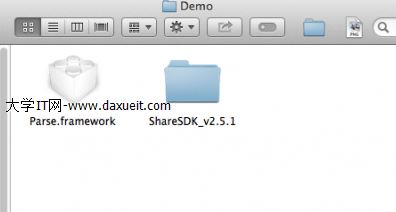
選中工程項目進入“Build Phases”在“Link Binary With Libraries”中點擊“+”號,按照ShareSDK的集成文檔與Parse的文檔說明把需要引入的庫加入到項目中
3.2.注冊ShareSDK
3.3.添加要集成的第三方登錄平台
注意: 新浪微博需要提供回調地址才行
回調地址去新浪開發者平台獲取
    [ShareSDK connectSinaWeiboWithAppKey:@"3819780424"
                               appSecret:@"6ce8dba1a8baa6803b6e3824518422b3"
                             redirectUri:@"http://www.baidu.com"];
redirectUri 要和開發平台的回調頁面相同
3.4.、在 - (BOOL)application: didFinishLaunchingWithOptions:注冊ShareSDK、添加集成平台、注冊Parse
- (BOOL)application:(UIApplication *)application didFinishLaunchingWithOptions:(NSDictionary *)launchOptions
{

    // Override point for customization after application launch.

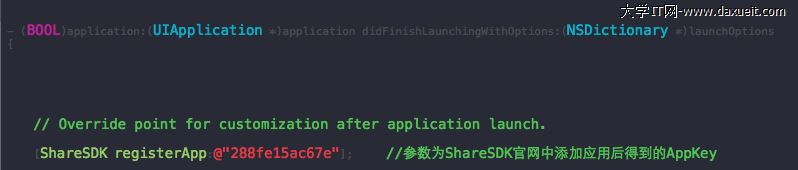
    [ShareSDK registerApp:@"288fe15ac67e"];     //參數為ShareSDK官網中添加應用後得到的AppKey


    //Parse Key
    [Parse setApplicationId:@"gKROXKemyAYT1JEQPwFjcuNRL7qPLguXpYWS1qb9"
                  clientKey:@"U48G8pla1trx8voPeOpH8Hts9QN475g27STuxuWo"];

    ///新浪微博:
    //App Key:3819780424
    //App Secret:6ce8dba1a8baa6803b6e3824518422b3
    //騰訊微博:
    //App key:2620460989
    //App secret:58c55f572d5ae35e0c355f4c0ee11283


    //分享內容URL


    [ShareSDK connectSinaWeiboWithAppKey:@"3819780424"
                               appSecret:@"6ce8dba1a8baa6803b6e3824518422b3"
                             redirectUri:@"http://www.baidu.com"];


    //    //新浪微博
    //    //App Key:801498670
    //    //App Secret:882c5581fa08e4068e9b920b65dac4ac
    //
    //    //添加騰訊微博應用
    //    [ShareSDK connectTencentWeiboWithAppKey:@"801307650"
    //                                  appSecret:@"ae36f4ee3946e1cbb98d6965b0b2ff5c"
    //                                redirectUri:@"http://www.sharesdk.cn"];

    //    //添加豆瓣應用
    //    [ShareSDK connectDoubanWithAppKey:@"07d08fbfc1210e931771af3f43632bb9"
    //                            appSecret:@"e32896161e72be91"
    //                          redirectUri:@"http://dev.kumoway.com/braininference/infos.php"];
    //
    //    //添加人人網應用
    //    [ShareSDK connectRenRenWithAppKey:@"fc5b8aed373c4c27a05b712acba0f8c3"
    //                            appSecret:@"f29df781abdd4f49beca5a2194676ca4"];
    //
    //
    //
    //    //添加Facebook應用
    //    [ShareSDK connectFacebookWithAppKey:@"107704292745179"
    //                              appSecret:@"38053202e1a5fe26c80c753071f0b573"];
    return YES;
}
其中傳入ShareSDK的參數則是之前創建應用的AppKey,而Parse的ApplicationId和clientKey可在應用信息面板中獲取。
3.5.實現SSO授權(SSO授權登錄<無需用戶輸入密碼登錄>)
注意:每個第三方客戶端的SSO授權方法不同: 詳情可查看 http://wiki.sharesdk.cn/iOS配置SSO授權

相關文章
+