
iOS Widget簡單使用
編輯:IOS技巧綜合
[摘要]本文是對iOS Widget簡單使用的講解,對學習IOS蘋果軟件開發有所幫助,與大家分享。
iOS的Widget類似Android的Notification設置flags為Notification.FLAG_ONGOING_EVENT後
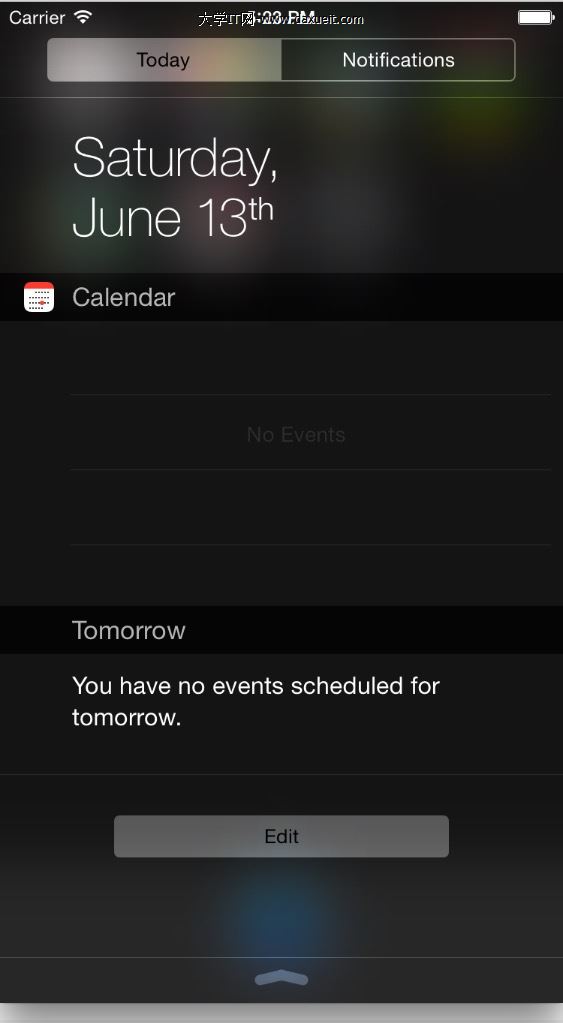
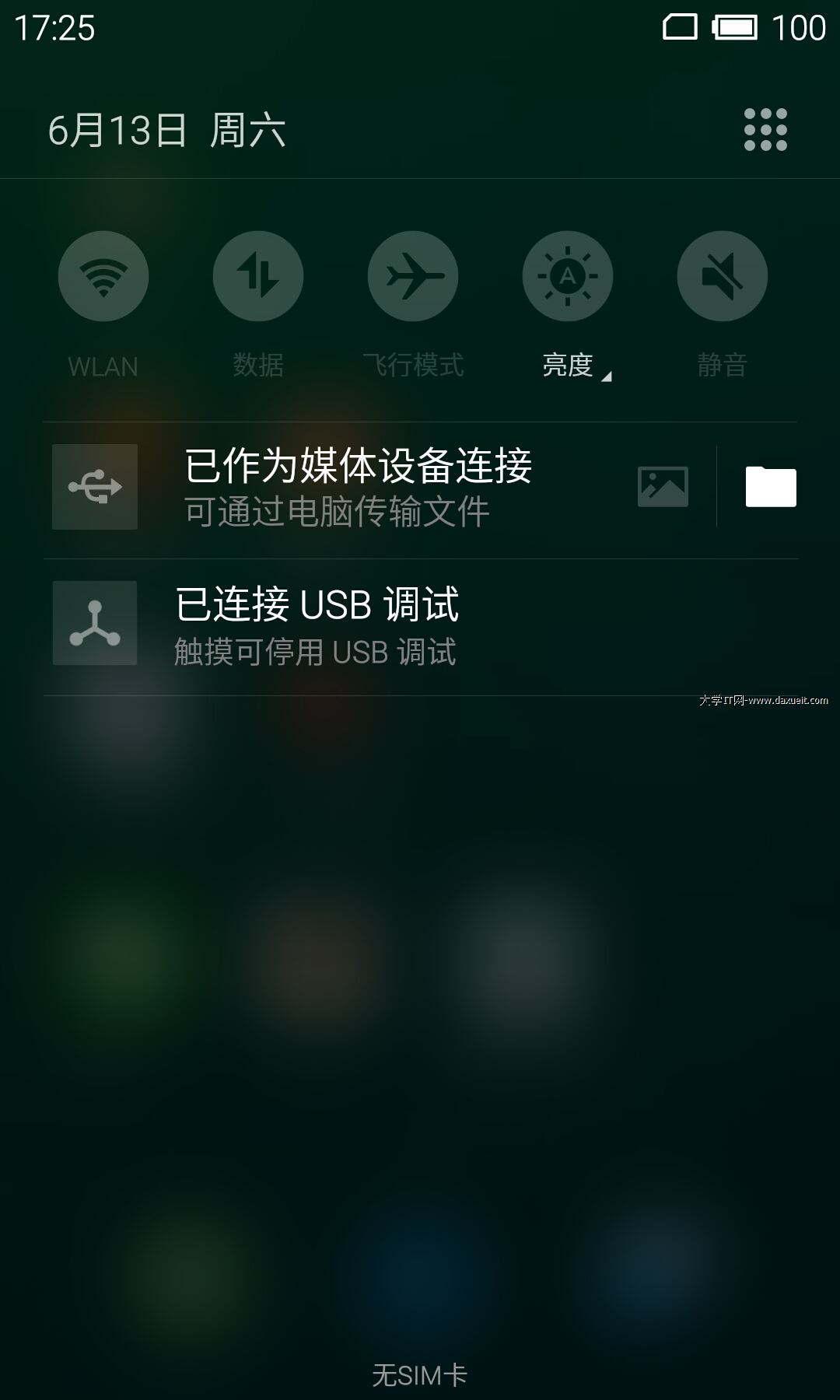
OK,大約知道是什麼意思了,現在可以開始碼了.
1.創建Widget
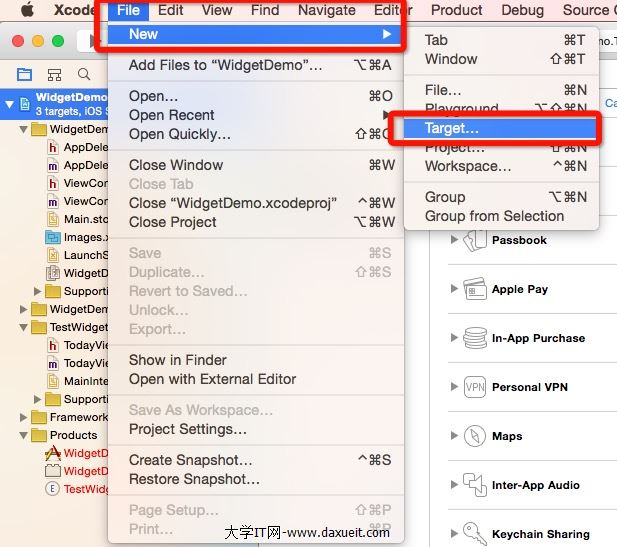
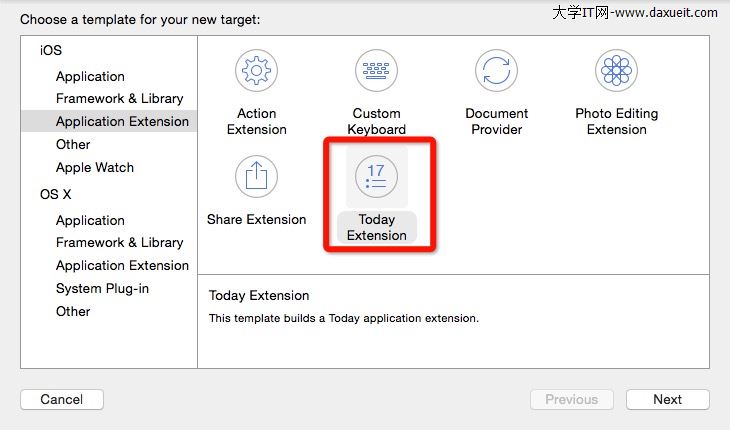
Xcode菜單 -> File -> New -> Target.. -> 選擇Today Extension
 -->
-->
2.在plist文件裡設置純代碼的Widget
刪掉NSExtensionMainStoryboard字段
添加NSExtensionPrincipalClass字段,設置value為TodayViewController,當然也可以設置其他的ViewController

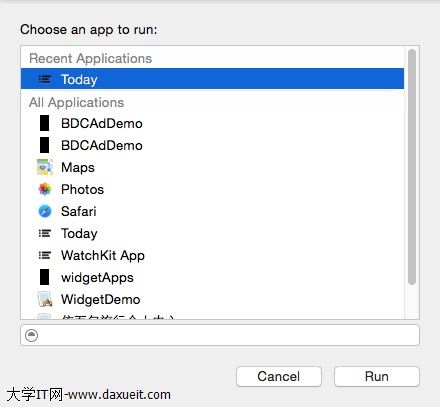
3.運行的時候選擇Today
4.添加一些控件看看效果
- (void)viewDidLoad {
    [super viewDidLoad];

    //添加一個button,點擊button後改變背景的顏色
    UIButton *button = [UIButton buttonWithType:UIButtonTypeSystem];
    [button setTitle:@"點擊一下" forState:UIControlStateNormal];
    button.backgroundColor = [UIColor whiteColor];
    [button addTarget:self action:@selector(clickAction) forControlEvents:UIControlEventTouchUpInside];
    button.frame = CGRectMake(50, 10, 100, 30);
    [self.view addSubview:button];

}

- (void)clickAction{
    self.view.backgroundColor = [UIColor redColor];
}
效果如圖
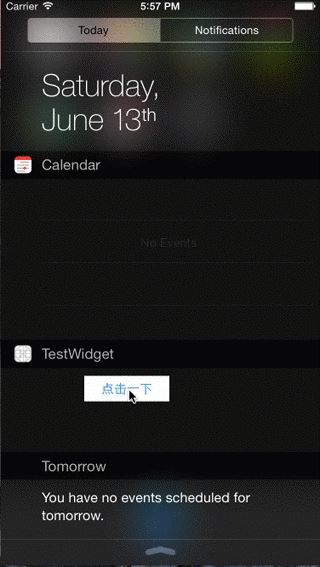
看效果圖你會發現,左邊還空了一大塊,原因是Widget默認會有一個inset,重寫下面的方法就好了
-(UIEdgeInsets)widgetMarginInsetsForProposedMarginInsets:(UIEdgeInsets)defaultMarginInsets {
    return UIEdgeInsetsZero;
}
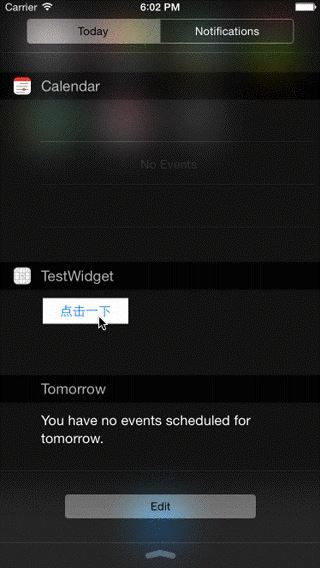
最終的效果如下:


相關文章
+
- 果粉必看!50個蘋果iOS9實用小技巧匯總(全部一一驗證)
- iPhone小技巧:十種果粉必知iPhone實用技巧
- iOS9.1 beta1怎麼升級beta2?iOS9.1 beta1搜不到iOS9.1 beta2更新解決辦法
- 在iphone上打開app時跳出不受信任的開發者怎麼回事?如何解決?
- iPhone怎麼准確移動光標?iPhone輸入時移動光標的三種方法
- iOS9有哪些新特性 iOS9的八大亮點功能匯總
- PresentViewController切換界面
- iOS9原生字體怎麼更換 iOS9系統字體更換教程
- iPhone如何通過對焦?iPhone攝像頭功能怎麼用
- ios7.1什麼時候升級 升級ios7.1固件下載時間