
Swift:修改 UISearchBar 取消按鈕的文字與顏色
下面來看一篇關於 Swift 修改搜索條(UISearchBar)中取消按鈕文字與顏色的示例,希望這篇教程能幫助到各位。
在使用搜索欄(UISearchBar)時,如果把它設置為「Shows Cancel Button」,輸入框右側便會出現一個取消按鈕(標題文字為 Cancel)。
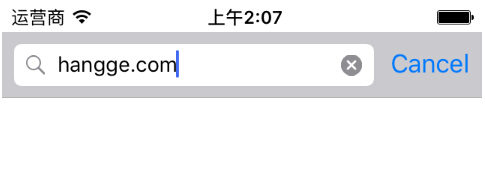
有時我們希望能把這個按鈕改成其他文字,比如「搜索」。雖然 searchBar 並未提供直接修改該按鈕文字的方法或屬性,但我們可以換個思路來實現。
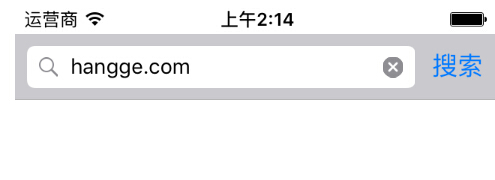
一、修改 searchBar 取消按鈕的文字
先拿到 searchBar 中的取消按鈕,再設置它的 title 即可。
import UIKit
class ViewController: UIViewController {
@IBOutlet weak var searchBar: UISearchBar!
override func viewDidLoad() {
super.viewDidLoad()
let uiButton = searchBar.valueForKey("cancelButton") as! UIButton
uiButton.setTitle("搜索", forState: UIControlState.Normal)
}
override func didReceiveMemoryWarning() {
super.didReceiveMemoryWarning()
}
}
二、修改 searchBar 取消按鈕的文字顏色
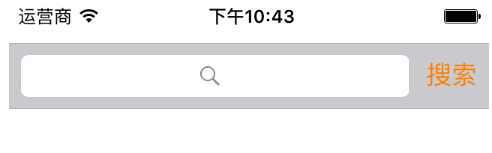
同樣先取得 searchBar 中的取消按鈕,再設置它的 titleColor 即可。
import UIKit
class ViewController: UIViewController {
@IBOutlet weak var searchBar: UISearchBar!
override func viewDidLoad() {
super.viewDidLoad()
let uiButton = searchBar.valueForKey("cancelButton") as! UIButton
uiButton.setTitle("搜索", forState: UIControlState.Normal)
uiButton.setTitleColor(UIColor.orangeColor(),forState: .Normal)
}
override func didReceiveMemoryWarning() {
super.didReceiveMemoryWarning()
}
}
- 上一篇文章: Cordova 自定義插件:iOS 端將視頻轉換為 mp4 格式
- 下一篇文章: Swift 視頻錄制:調用攝像頭錄像並保存到系統相冊