
不越獄也能瘦身:iPhone 5 內建程式刪除路徑整理
iPhone 5 內建的那些程式,有不少實在用不太上——天氣、股票、地圖就是典型例子。若能一口氣清掉,畫面清爽程度會差很多。以下整理各項程式的對應路徑,操作前請先評估自身需求。
測試機型為 iPhone 5 A1429。除了報刊雜誌(刪除後有機會白蘋果)之外,其餘皆可處理。用 PP 助手或 iTools 連上設備,直接對資料夾動手,只要路徑看準就能刪。這個操作只針對應用本身,不影響系統運行。
鎖屏介面
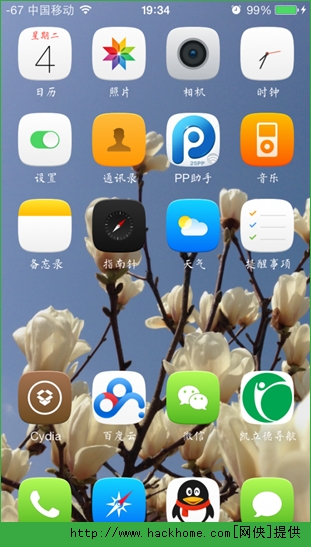
清空之後,只剩下電話、短信與部分保留的內建程式。
內建郵件(耗電大戶)
/Applications/MobileMail.app
/Library/Application Support/Mail
/System/Library/AccessibilityBundles/MobileMail.axbundle
/System/Library/AccessibilityBundles/MobileMailSettings.axbundle
/System/Library/BulletinBoardPlugins/MailDataProvider.bundle
內建天氣(其實還算好用)
/Applications/Weather.app
/System/Library/WeeAppPlugins/WeatherNotifications.bundle
/System/Library/AccessibilityBundles/Weather.axbundle
內建股票(多數人用不到)
/Applications/Stocks.app
/System/Library/WeeAppPlugins/StocksWeeApp.bundle
/System/Library/AccessibilityBundles/StocksFramework.axbundle
/System/Library/AccessibilityBundles/StocksWeeApp.axbundle
/System/Library/AccessibilityBundles/Stocks-Assistant.axbundle
/System/Library/AccessibilityBundles/Stocks.axbundle
內建地圖(有導航或離線地圖即可取代)
/Applications/Maps.app
/System/Library/AccessibilityBundles/MapkitFramework.axbundle
/System/Library/AccessibilityBundles/Maps-Assistant.axbundle
/System/Library/AccessibilityBundles/Maps.axbundle
/System/Library/PreferenceBundles/MapsSettings.bundle
/System/Library/Frameworks/MapKit.framework
內建 Passbook
/Applications/Shoebox.app
/System/Library/WeeAppPlugins/SocialWeeApp.bundle
/System/Library/BulletinBoardPlugins/PassesBulletinBoardPlugin.bundle
/System/Library/AccessibilityBundles/PassesLockScreenPlugin.axbundle
/System/Library/AccessibilityBundles/PassKitFramework.axbundle
Nike
/Applications/Nike.app
/System/Library/AccessibilityBundles/Nike.axbundle
Game Center
/Applications/GameCenterUIService.app
/Applications/Game Center~iphone.app
/System/Library/BulletinBoardPlugins/GameKitDataProvider.bundle
內建資訊(刪前請三思)
/Applications/MobileSMS.app
/Applications/MessagesViewService.app
/System/Library/AccessibilityBundles/MessageUIFramework.axbundle
/System/Library/BulletinBoardPlugins/SMSBBPlugin.bundle
/System/Library/Frameworks/MessageUI.framework
內建日曆(建議保留)
/Applications/MobileCal.app
/System/Library/AccessibilityBundles/Calendar-Assistant.axbundle
內建照片(請自行斟酌)
/Applications/MobileSlideShow.app
/System/Library/AccessibilityBundles/PhotoLibraryFramework.axbundle
/System/Library/AccessibilityBundles/PhotoBooth.axbundle
/System/Library/BulletinBoardPlugins/PhotoLibraryDataProvider.bundle
內建相機(一般不會動)
/Applications/Camera.app
/System/Library/AccessibilityBundles/Camera.axbundle
內建影片
/Applications/Videos.app
/System/Library/AccessibilityBundles/Videos.axbundle
最後提醒一句:刪除前請務必備份,並確認自己不會回頭需要那些功能。
更多 iOS 8 插件內容,請進入專題:https://www.hackhome.com/zt/ios8cj/