
Safari 網頁翻譯怎麼做?用書籤小程式一鍵轉中文版
想在 Safari 裡直接翻譯外文網頁,很多人試過,卻大多無功而返。這次折騰之後总算找到可行的做法,做法比想像中簡單:把翻譯服務寫成一則書籤,點一下就觸發。
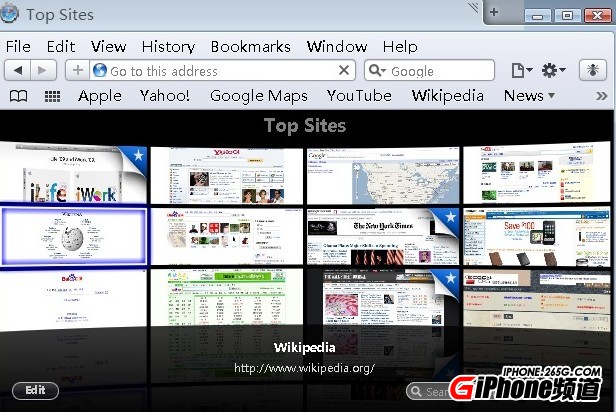
基本原理
先在 Safari 隨便收藏一個網頁建立書籤,接著編輯該書籤,把它的網址換成下方的程式碼,名稱改成你認得出的字樣(例如「有道翻譯」)。之後瀏覽任何外文頁面,只要點一下這則書籤,就會帶著當前網址丟進翻譯服務。
有道翻譯
javascript: void((function() {var element = document.createElement('script');element.id = 'outfox_seed_js';element.charset = 'utf-8',element.setAttribute('src', 'https://fanyi.youdao.com/web2/seed.js?' + Date.parse(new Date()));document.body.appendChild(element);})())
谷歌翻譯(簡中)
javascript:var t=((window.getSelection&&window.getSelection())||(document.getSelection&&document.getSelection())||(document.selection&&document.selection.createRange&&document.selection.createRange().text));var e=(document.charset||document.characterSet);if(t!=''){location.href='https://translate.google.com/?text='+t+'&hl=zh-CN&langpair=auto|zh-CN&tbb=1&ie='+e;}else{location.href='https://translate.google.com/translate?u='+encodeURIComponent(location.href)+'&hl=zh-CN&langpair=auto|zh-CN&tbb=1&ie='+e;};
谷歌翻譯(繁中)
javascript:var t=((window.getSelection&&window.getSelection())||(document.getSelection&&document.getSelection())||(document.selection&&document.selection.createRange&&document.selection.createRange().text));var e=(document.charset||document.characterSet);if(t!=''){location.href='https://translate.google.com/?text='+t+'&hl=zh-CN&langpair=auto|zh-TW&tbb=1&ie='+e;}else{location.href='https://translate.google.com/translate?u='+encodeURIComponent(location.href)+'&hl=zh-CN&langpair=auto|zh-TW&tbb=1&ie='+e;};
谷歌翻譯(英文)
javascript:var t=((window.getSelection&&window.getSelection())||(document.getSelection&&document.getSelection())||(document.selection&&document.selection.createRange&&document.selection.createRange().text));var e=(document.charset||document.characterSet);if(t!=''){location.href='https://translate.google.com/?text='+t+'&hl=zh-CN&langpair=auto|en&tbb=1&ie='+e;}else{location.href='https://translate.google.com/translate?u='+encodeURIComponent(location.href)+'&hl=zh-CN&langpair=auto|en&tbb=1&ie='+e;};
必應翻譯(簡體中文)
javascript:(function(){var s = document.createElement('script'); s.type = 'text/javascript'; s.src = 'https://labs.microsofttranslator.com/bookmarklet/default.aspx?f=js&to=zh-chs'; document.body.insertBefore(s, document.body.firstChild);})()
必應翻譯(繁體中文)
javascript:(function(){var s = document.createElement('script'); s.type = 'text/javascript'; s.src = 'https://labs.microsofttranslator.com/bookmarklet/default.aspx?f=js&to=zh-cht'; document.body.insertBefore(s, document.body.firstChild);})()
必應翻譯(英文)
javascript:(function(){var s = document.createElement('script'); s.type = 'text/javascript'; s.src = 'https://labs.microsofttranslator.com/bookmarklet/default.aspx?f=js&to=en'; document.body.insertBefore(s, document.body.firstChild);})()

實際操作示範
以威鋒網為例:開啟頁面後加入收藏,進入書籤編輯,找到剛才存的那一筆,把網址替換成上列任一段程式碼,名稱改成「有道翻譯」之類好辨認的寫法,儲存後把書籤移到「個人收藏」方便點選。之後讀英文網站,點一下就能看中文版本。
一點提醒
這類書籤小程式會把當前網址送到第三方翻譯服務,因此不建議在處理機敏內容的頁面上使用。另外,各家服務的網址與參數若有所調整,程式碼也可能需要跟著更新。