
Mac開啟HiDPI:讓畫面更細膩的設定流程
編輯:iPhone 刷機與越獄教學
HiDPI能讓部分Mac與黑蘋果顯示更細膩,也能改善文字與圖形的銳利度。
1. 開啟終端,輸入:
sudo defaults write /Library/Preferences/com.apple.windowserver.plist DisplayResolutionEnabled -bool true
輸入管理員密碼後執行。
2. 取得螢幕的DisplayVendorID與DisplayProductID。
在終端查詢:
ioreg -l | grep "DisplayVendorID"
ioreg -l | grep "DisplayProductID"
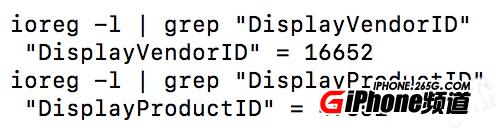
3. 將十進位數字轉成十六進位。
4. 建立DisplayVendorID-XXXX資料夾,並在其中建立DisplayProductID-YYYY檔案。

5. 產生顯示器設定檔並貼入檔案。
6. 把資料夾複製到/System/Library/Displays/Contents/Resources/Overrides/,重新啟動。
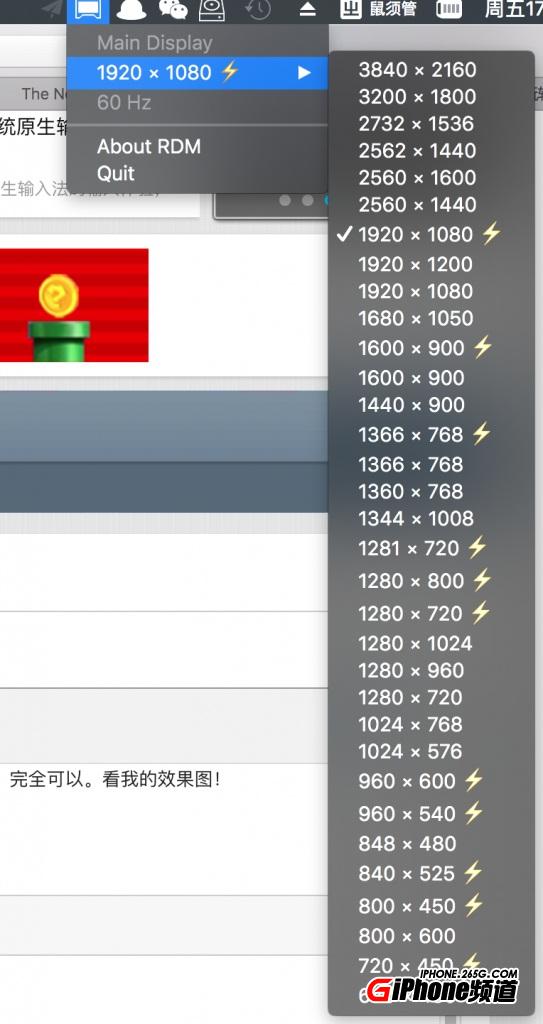
7. 安裝RDM切換解析度。
- 上一篇文章: iOS 10.3降回10.2.1?備份與改Plist概念整理
- 下一篇文章: iPhone閱讀更舒適:字體、縮放與夜間模式設定