
超實用:iOS 9.3 beta 版隱藏內置應用的教程
在賦予使用者權限刪除和隱藏 iOS 內建應用這件事上,蘋果一直比較「保守」。有一部分 iOS 使用者,的確希望能不越獄就隱藏官方自帶的應用,尤其是一部分幾乎用不到的。
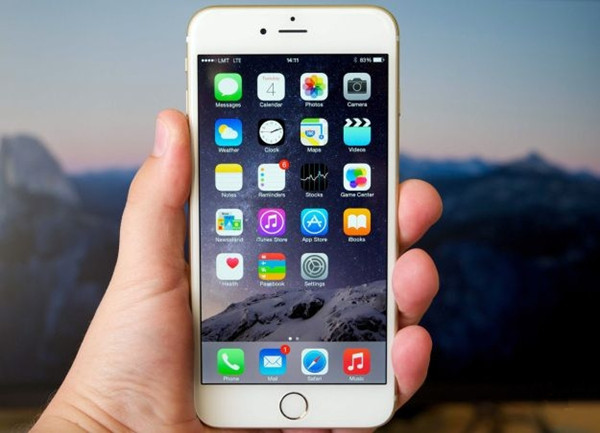
上週蘋果發布了 iOS 9.3 的 beta 版,這幾天我們已陸續發現它的不少新功能,而它帶來的驚喜似乎還沒結束。因為據使用者發現,在 iOS 9.3 beta 中,已經可以讓使用者隱藏預裝應用,不過過程略為繁瑣。
1. 首先你需要安裝 iOS 9.3 beta 版;
2. 下載蘋果 Configurator 2.2 測試版。這一步要求使用者註冊獲得蘋果開發商會員資格,費用 79 英鎊;
3. 然後用 Apple Configurator 2.2 測試版建立一個設定描述檔,在 Restrictions 的 Apps 區塊下的「限制應用使用」(Restrict App Usage)中,選擇「不允許某些應用」(Do not allow some apps);
4. 輸入必要的指令來隱藏特定應用,例如想隱藏股票(Stocks),就輸入 com.apple.stocks,這樣就能把預裝應用從 iPhone 或 iPad 中屏蔽。
以下是其他內建應用的 ID 指令:
com.apple.stocks – Stocks
com.apple.tips – Tips
com.apple.videos – Videos
com.apple.mobilemail – 原生郵件
com.apple.mobilenotes – Notes
com.apple.reminders – Reminders
com.apple.calculator – Calculator
com.apple.Maps – Maps
com.apple.Music – Music
com.apple.Passbook – Wallet
com.apple.Health – Health
com.apple.mobilephone – Phone
com.apple.MobileStore – iTunes Store
com.apple.MobileSMS – Messages
com.apple.VoiceMemos – Voice Memos
com.apple.weather – Weather
com.apple.podcasts – Podcasts
com.apple.gamecenter – Game Center
com.apple.Bridge – Watch
com.apple.mobileme.fmf1 – Find Friends
com.apple.iBooks – iBooks
com.apple.mobileme.fmip1 – Find iPhone
com.apple.mobiletimer – Clock
com.apple.mobileslideshow – Photos
com.apple.Preferences – Settings
com.apple.Camera – Camera
com.apple.facetime – FaceTime
com.apple.MobileAddressBook – Contacts
com.apple.news – News
- 上一篇文章: 不想錯過重要通知?用這款新插件延長顯示
- 下一篇文章: iPhone 5 為什麼划痕特別多?又該怎麼修復