
iTouch 5 開啟 iOS 7 電量百分比
編輯:iOS 7 教學
若 iTouch 5 已越獄,可透過修改 springboard 設定檔來顯示電量百分比。
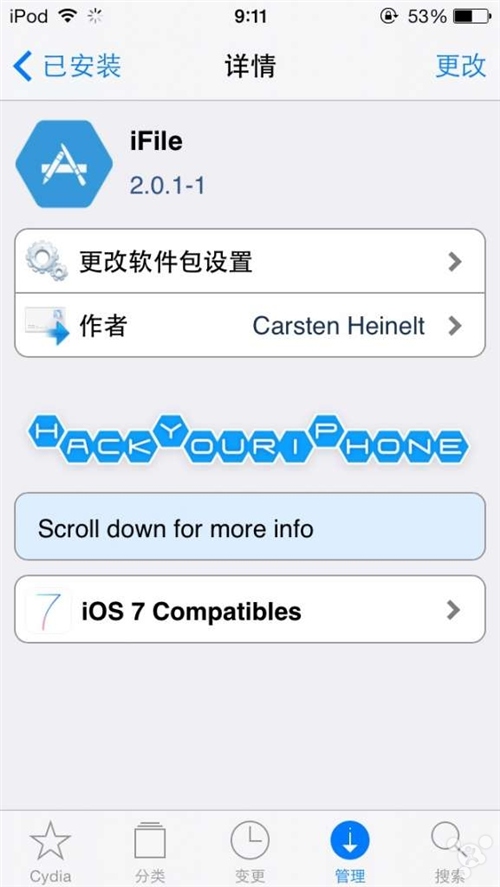
1. 安裝最新版 iFile,並重啟裝置。
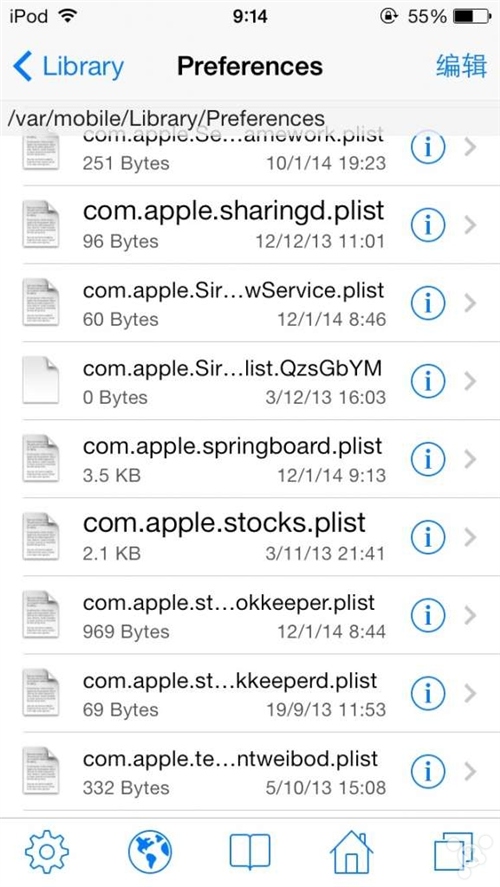
2. 前往 /var/mobile/Library/Preferences/,開啟 com.apple.springboard.plist。
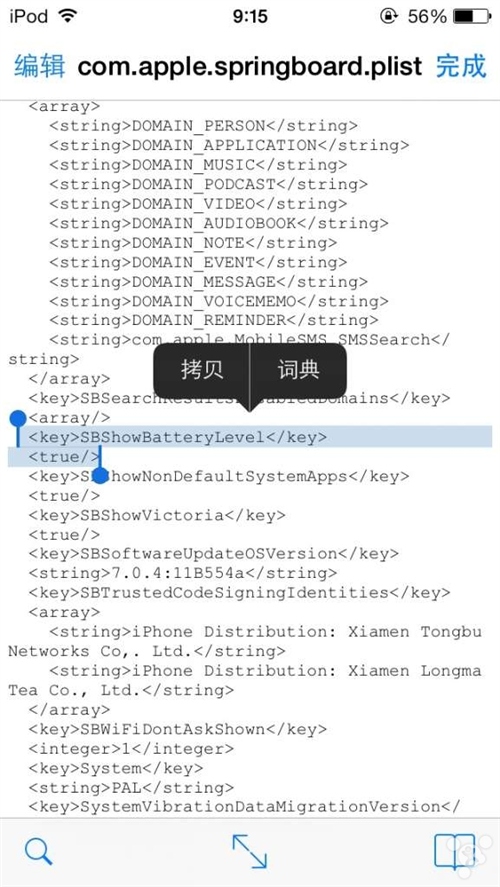
3. 插入 SBShowBatteryLevel 並儲存。
完成後,電量百分比會立即顯示。
- 上一篇文章: iOS 7 降級 iOS 6.1.3 圖文教學
- 下一篇文章: iOS 7.1 OTA 升級包刪除方法