
用 AppleScript 讓 Mac 為你唱一首生日歌
編輯:iOS 相關教學

macOS 內建的「腳本編輯器」能調用系統語音合成,把文字唸出來還能指定音高。既然音高可控,那麼讓它唱歌就只是把音符對應上去而已。以下這段腳本會用系統語音唱出「Happy Birthday」。
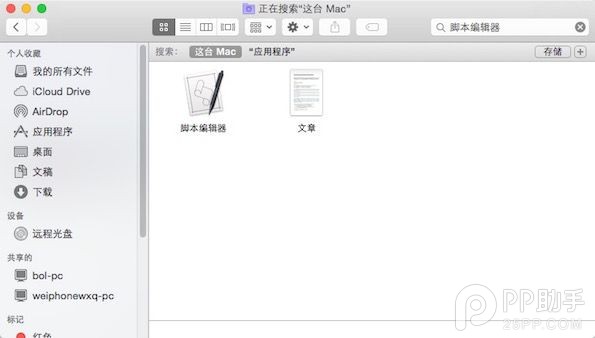
1. 開啟「腳本編輯器」(應用程式 → 工具程式夾)。
2. 貼上以下程式碼:
set currentUser to long user name of (get system info)set firstName to first word of currentUser
set lastName to last word of currentUser
set noteValues to {56, 56, 58, 56, 61, 60, 50, 56, 56, 58, 56, 63, 61, 50, 56, 56, 68, 65, 61, 60, 58, 50, 66, 66, 65, 61, 63, 61} -- F
-- set noteValues to {65, 65, 67, 65, 70, 69, 60, 65, 65, 67, 65, 72, 70, 60, 65, 65, 77, 74, 70, 69, 67, 60, 75, 75, 74, 70, 72, 70} -- D
-- set noteValues to {55, 55, 57, 55, 60, 59, 50, 55, 55, 57, 55, 62, 60, 50, 55, 55, 67, 64, 60, 59, 57, 50, 65, 65, 64, 60, 62, 60} -- E
set syllables to {"hap", "p", "birth", "day", "to", "you", "[[slnc 500]]", "hap", "p", "birth", "day", "to", "you", "[[slnc 500]]", "hap", "p", "birth", "day", "dear", firstName, lastName, "[[slnc 500]]", "hap", "p", "birth", "day", "to", "you"}
repeat with i from 1 to the length of noteValues
set thisValue to item i of noteValues
set thisSyllable to item i of syllables
if length of thisSyllable is less than 3 then
set speakingRate to 220
else
set speakingRate to 100
end if
say thisSyllable pitch thisValue using "Victoria" speaking rate speakingRate modulation 0
end repeat
3. 點擊「執行」,Mac 就會開始唱。
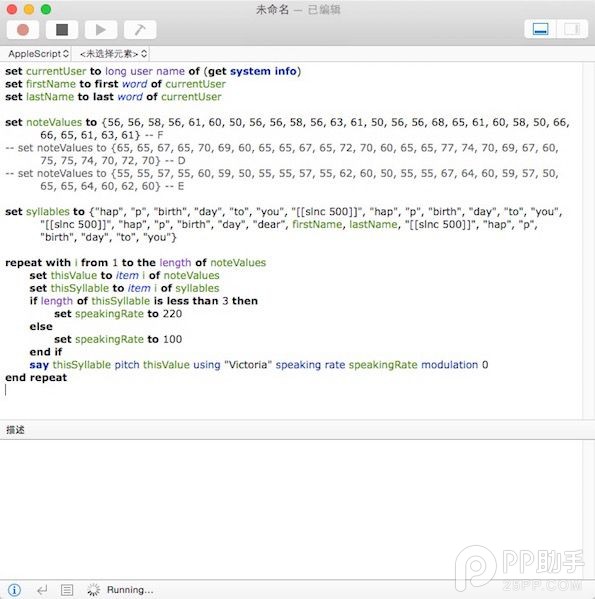
4. 想換成指定姓名?firstName 與 lastName 預設抓的是目前登入使用者的名字,你可以直接把前兩行改成固定字串(建議用英文,發音比較自然):
set firstName to "xxx"set lastName to "xxx"
5. 不喜歡這個嗓音?把倒數第二行的 "Victoria" 換掉即可。可到「系統偏好設定」→「聽寫與語音」→「系統語音」→「自訂」下載其他語音,中文也有對應選項。
程式碼裡被註解掉的兩段 noteValues 分別是 D 與 E 調版本,把目前使用的那段前面加上 --、再去掉另一段的註解,就能換個調試試。
- 上一篇文章: 蘋果手機誤刪資料怎麼恢復?自己動手找回來
- 下一篇文章: 第三方iOS火車票訂購App大比拼:誰才是訂票神器?