
iOS 8.4 精簡系統教學:越獄後刪除自帶應用的完整路徑清單
PP 助手推出 iOS 8.4 完美越獄工具後,越獄用戶可以依需求移除那些用不到、又刪不掉的系統自帶應用,替裝置來一場「夏日瘦身」。以下是完整做法。

一、先完成 iOS 8.4 完美越獄
二、進入檔案系統刪除檔案
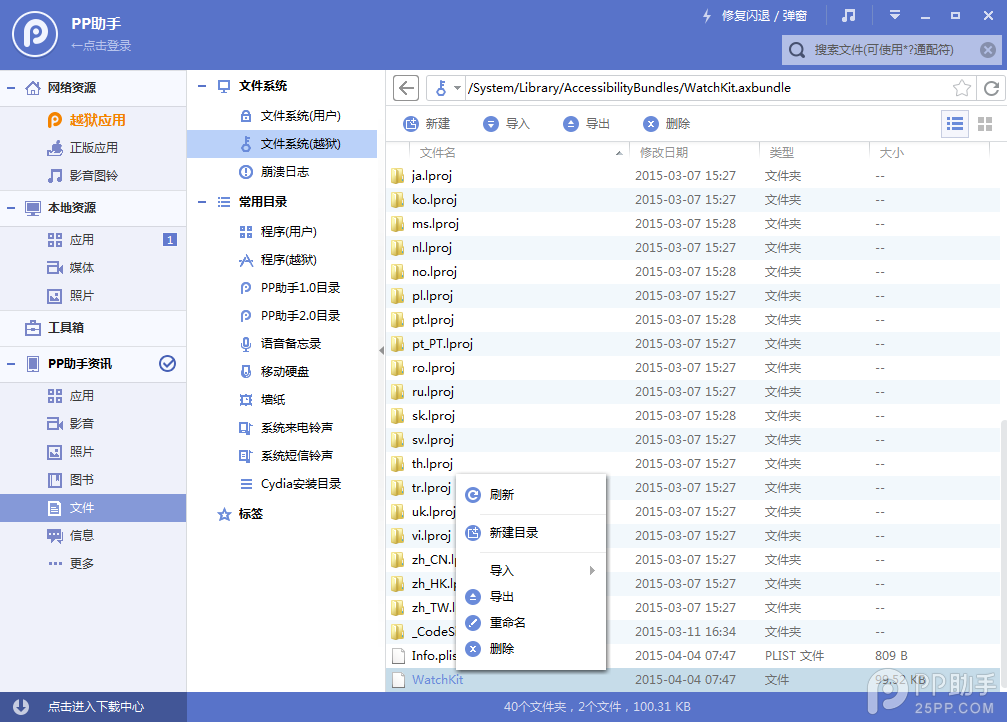
連上 PP 助手等同步工具,進入「檔案系統(越獄)」,主要目標是 Library/LaunchDaemons 裡的 plist 檔,以及各應用對應的檔案。
/Applications/SocialUIService.app/PlugIns/com.apple.social.FacebookComposeService.appex
/Applications/FacebookAccountMigrationDialog.app
/System/Library/AccessibilityBundles/FacebookSettings.axbundle
/System/Library/PreferenceBundles/FacebookSettings.bundle
/System/Library/Accounts/Authentication/FacebookAuthenticationPlugin.bundle
/System/Library/Accounts/Access/FacebookAccessPlugin.bundle
/System/Library/Frameworks/Social.framework/XPCServices/com.apple.facebook.xpc
Flickr
/Applications/SocialUIService.app/PlugIns/com.apple.social.FlickrComposeService.appex
/System/Library/PreferenceBundles/FlickrSettings.bundle
/System/Library/Accounts/Authentication/FlickrAuthenticationPlugin.bundle
/System/Library/Frameworks/Social.framework/XPCServices/com.apple.flickr.xpc
/System/Library/PrivateFrameworks/VUSocialUpload.framework
Vimeo
/Applications/SocialUIService.app/PlugIns/com.apple.social.VimeoComposeService.appex
/System/Library/PreferenceBundles/VimeoSettings.bundle
/System/Library/Accounts/Authentication/VimeoAuthenticationPlugin.bundle
/System/Library/Frameworks/Social.framework/XPCServices/com.apple.vimeo.xpc
/System/Library/PrivateFrameworks/VUSocialUpload.framework
iBooks
/Applications/iBooks.app
/System/Library/SyncBundles/Books.syncBundle
/var/mobile/Media/Books
Podcasts(播客)
/Applications/Podcasts.app
/private/var/mobile/Library/SpringBoard/PushStore/com.apple.podcasts.pushstore
/System/Library/AccessibilityBundles/Podcasts.axbundle
/System/Library/Assistant/Plugins/Podcasts.assistantBundle
Tips(提示)
/Applications/Tips.app
/etc/asl/com.apple.tips
/etc/asl/com.apple.tipsd
/private/var/mobile/Library/Preferences/com.apple.tipsd.plist
/System/Library/AccessibilityBundles/Tips.axbundle
/System/Library/LaunchDaemons/com.apple.tipsd.plist 或 /Library/LaunchDaemons/com.apple.tipsd.plist
/System/Library/PrivateFrameworks/Tips.framework
/usr/libexec/tipsd
/Applications/SocialUIService.app/PlugIns/com.apple.social.TwitterComposeService.appex
/System/Library/AccessibilityBundles/TwitterFramework.axbundle
/System/Library/AccessibilityBundles/TwitterSettings.axbundle
/System/Library/Frameworks/Twitter.framework
/System/Library/PreferenceBundles/TwitterSettings.bundle
/System/Library/Accounts/Authentication/TwitterAuthenticationPlugin.bundle
/System/Library/Frameworks/Social.framework/XPCServices/com.apple.twitter.xpc
/System/Library/PrivateFrameworks/MobileSync.framework/
Apple Watch 相關檔案:不建議刪除
刪掉 Bridge 相關檔案後,系統反而可能持續嘗試搜尋配對裝置,導致更耗電。
/Applications/Bridge.app
/private/var/mobile/Library/SpringBoard/PushStore/com.apple.Bridge.pushstore
/System/Library/AccessibilityBundles/Bridge.axbundle
/private/var/mobile/Library/Preferences/com.apple.Bridge.plist
/System/Library/AccessibilityBundles/WatchKit.axbundle
/System/Library/Frameworks/WatchKit.framework
/System/Library/LocationBundles/AppleWatchFaces.bundle
/System/Library/PrivateFrameworks/BridgePreferences.framework
三、替換設定檔陣列
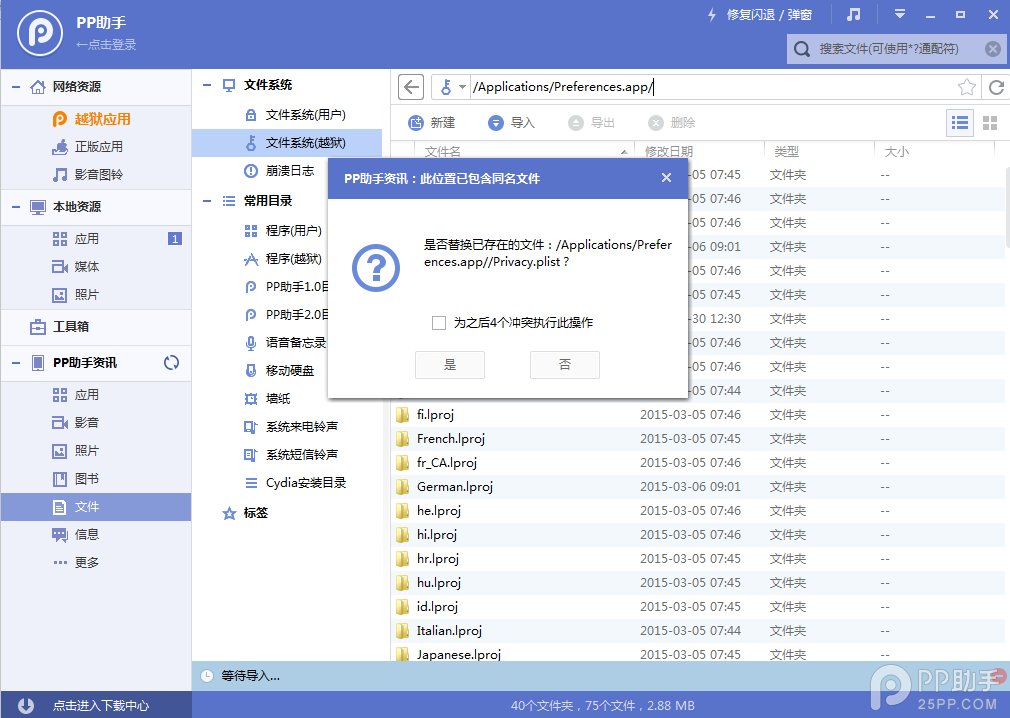
下載對應的陣列檔,解壓後替換到 /Applications/Preferences.app/ 這個路徑。這麼做是因為「設定」裡某些頁面仍會殘留上述應用的入口,把相關陣列一併清掉,選單才會乾淨。
四、清理快取並重啟
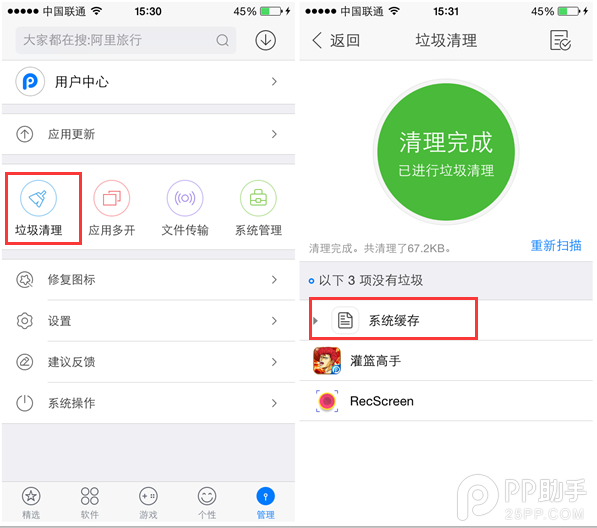
完成以上操作後,清理一次系統快取再重啟裝置,精簡就完成了。
提醒:動到系統目錄有一定風險,操作前請先完整備份,並確認自己刪的是對應機型的路徑。