
Mac 內建字典的隱藏快捷鍵:Command + Control + D
編輯:iOS 相關教學

使用方法
1. 打開「文字編輯」,隨意輸入幾個英文單字,例如 Monkey、dog、Elephant。
2. 同時按下 Command + Control + D。
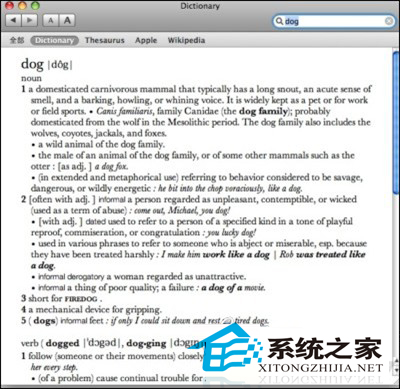
3. 保持按住這兩個鍵,把游標移到要查的單字上,就會浮現释义視窗。以 dog 為例,會顯示:
noun
a domesticated carnivorous mammal that typically has a long snout, an acute sense of smell, and a barking, howling, or whining voice. It is widely kept as a pet or for work or field sports. · Canis familiaris, family Canidae (the dog family); probably domesticated from the wolf in the Mesolithic period.
4. 繼續按住不放,游標移到另一個單字,視窗內容會即時切換。
5. 想看更完整的解釋,點視窗右下角的「更多…」,系統會開啟 Dictionary 並顯示圖文並茂的詳細條目。
6. 這個功能連單字的一部分都能查。例如在 Dreamweaver 中只選中 Dream,游標停在該詞上按 Command + Control + D,同樣會顯示解釋。
7. 想查由這個字衍生的相關詞彙,點視窗左下角的下拉選單,把 Oxford Dictionary 換成 Oxford Thesaurus 即可。
這組快捷鍵幾乎在任何有文字的應用程式中都有效——瀏覽器、PDF 閱讀器、郵件、程式編輯器都能用,是 macOS 裡性價比相當高的按鍵組合。
- 上一篇文章: 用「圖像捕捉」管理 iPhone 照片:EXIF、刪除與批次匯入
- 下一篇文章: Mac 使用者看過來:iCloud 照片串流的重置流程