
iOS 事件處理補完:運動(搖晃)事件與遠程控制事件實作
編輯:iOS 相關教學
前面我們學過觸摸處理與手勢識別,這兩者都屬於觸摸類事件。今天來看 iOS 事件的另外兩種類型。
一、運動事件
運動事件由加速器觸發,和觸摸事件一樣,只有繼承 UIResponder 的物件才能處理。
#pragma mark 運動開始時執行
- (void)motionBegan:(UIEventSubtype)motion withEvent:(UIEvent *)event;
#pragma mark 運動結束後執行
- (void)motionEnded:(UIEventSubtype)motion withEvent:(UIEvent *)event;
#pragma mark 運動被意外取消時執行
- (void)motionCancelled:(UIEventSubtype)motion withEvent:(UIEvent *)event;
你沒看錯,這裡說的「運動」其實就只是搖一下手機,因此只有開始、結束、取消三種狀態,拿不到運動過程中的速度與方向——那些需要另外的框架(例如 Core Motion)才有。與其叫運動事件,理解成「搖晃事件」更貼切。
監聽的前提條件:
- 監聽物件必須成為第一響應者,控件需讓
- (BOOL)canBecomeFirstResponder回傳 YES。 - 在 viewController 的
viewWillAppear:中呼叫該控件的becomeFirstResponder。 - 在
viewDidDisappear:中呼叫resignFirstResponder取消第一響應者身份。
實作範例:
// KCImageView.m
#import "KCImageView.h"
#define kImageCount 3

@implementation KCImageView

- (instancetype)initWithFrame:(CGRect)frame {
    self = [super initWithFrame:frame];
    if (self) {
        self.image = [self getImage];
    }
    return self;
}

#pragma mark 允許成為第一響應者
- (BOOL)canBecomeFirstResponder {
    return YES;
}

#pragma mark 運動開始
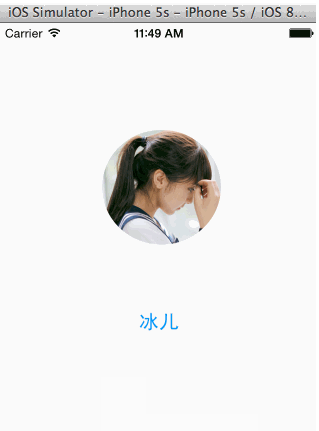
- (void)motionBegan:(UIEventSubtype)motion withEvent:(UIEvent *)event {
    // 這裡只處理搖晃
    if (motion == UIEventSubtypeMotionShake) {
        self.image = [self getImage];
    }
}

#pragma mark 運動結束
- (void)motionEnded:(UIEventSubtype)motion withEvent:(UIEvent *)event {
}

#pragma mark 隨機取得圖片
- (UIImage *)getImage {
    int index = arc4random() % kImageCount;
    NSString *imageName = [NSString stringWithFormat:@"avatar%i.png", index];
    return [UIImage imageNamed:imageName];
}
@end


// KCShakeViewController.m
#import "KCShakeViewController.h"
#import "KCImageView.h"

@interface KCShakeViewController ()
{
    KCImageView *_imageView;
}
@end

@implementation KCShakeViewController

- (void)viewDidLoad {
    [super viewDidLoad];
}

#pragma mark 顯示時成為第一響應者
- (void)viewDidAppear:(BOOL)animated {
    _imageView = [[KCImageView alloc] initWithFrame:[UIScreen mainScreen].applicationFrame];
    _imageView.userInteractionEnabled = YES;
    [self.view addSubview:_imageView];
    [_imageView becomeFirstResponder];
}

#pragma mark 消失時取消第一響應者
- (void)viewDidDisappear:(BOOL)animated {
    [_imageView resignFirstResponder];
}
@end
二、遠程控制事件
遠程控制事件由外部設備觸發,最常見的就是耳機線控按鈕。相關方法只有一個:
- (void)remoteControlReceivedWithEvent:(UIEvent *)event;
監聽前提:
- 先啟動遠程事件接收:
[[UIApplication sharedApplication] beginReceivingRemoteControlEvents]; - UI 控件同樣必須成為第一響應者;但如果是 viewController 或 UIApplication 則無此要求。
- App 必須是目前的音訊控制者。
- iOS 7 開放給 App 的遠程控制權限僅限於音訊。
子事件型別對應的實體操作:
typedef NS_ENUM(NSInteger, UIEventSubtype) {
    UIEventSubtypeNone = 0,                         // 無子事件
    UIEventSubtypeMotionShake = 1,                  // 搖晃(iOS 3.0 起)

    UIEventSubtypeRemoteControlPlay = 100,          // 播放:停止狀態下按線控中央鍵一下
    UIEventSubtypeRemoteControlPause = 101,         // 暫停
    UIEventSubtypeRemoteControlStop = 102,          // 停止
    UIEventSubtypeRemoteControlTogglePlayPause = 103, // 播放/暫停切換:按一下
    UIEventSubtypeRemoteControlNextTrack = 104,     // 下一首:按兩下
    UIEventSubtypeRemoteControlPreviousTrack = 105, // 上一首:按三下
    UIEventSubtypeRemoteControlBeginSeekingBackward = 106, // 快退開始:按三下不放開
    UIEventSubtypeRemoteControlEndSeekingBackward = 107,   // 快退結束:到位置後放開
    UIEventSubtypeRemoteControlBeginSeekingForward = 108,  // 快進開始:按兩下不放開
    UIEventSubtypeRemoteControlEndSeekingForward = 109,    // 快進結束:到位置後放開
};
實作範例:
#import "ViewController.h"

@interface ViewController ()
{
    UIButton *_playButton;
    BOOL _isPlaying;
}
@end

@implementation ViewController

- (void)viewDidLoad {
    [super viewDidLoad];
    [[UIApplication sharedApplication] beginReceivingRemoteControlEvents];
    [self initLayout];
}

- (BOOL)canBecomeFirstResponder {
    return NO;
}

- (void)viewDidAppear:(BOOL)animated {
    [super viewDidAppear:animated];
    NSURL *url = [NSURL URLWithString:@"https://stream.jewishmusicstream.com:8000"];
    _player = [[AVPlayer alloc] initWithURL:url];
}

#pragma mark 遠程控制事件
- (void)remoteControlReceivedWithEvent:(UIEvent *)event {
    if (event.type == UIEventTypeRemoteControl) {
        switch (event.subtype) {
            case UIEventSubtypeRemoteControlPlay:
                [_player play];
                _isPlaying = YES;
                break;
            case UIEventSubtypeRemoteControlTogglePlayPause:
                [self btnClick:_playButton];
                break;
            case UIEventSubtypeRemoteControlNextTrack:
                NSLog(@"Next...");
                break;
            case UIEventSubtypeRemoteControlPreviousTrack:
                NSLog(@"Previous...");
                break;
            case UIEventSubtypeRemoteControlBeginSeekingForward:
                NSLog(@"Begin seek forward...");
                break;
            case UIEventSubtypeRemoteControlEndSeekingForward:
                NSLog(@"End seek forward...");
                break;
            case UIEventSubtypeRemoteControlBeginSeekingBackward:
                NSLog(@"Begin seek backward...");
                break;
            case UIEventSubtypeRemoteControlEndSeekingBackward:
                NSLog(@"End seek backward...");
                break;
            default:
                break;
        }
        [self changeUIState];
    }
}

#pragma mark 界面布局
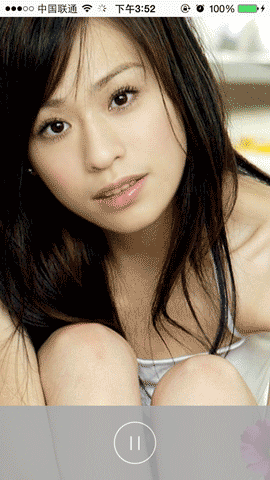
- (void)initLayout {
    // 專輯封面
    UIImage *image = [UIImage imageNamed:@"wxl.jpg"];
    CGRect *frame = [UIScreen mainScreen].applicationFrame;
    UIImageView *imageView = [[UIImageView alloc] initWithFrame:frame];
    imageView.image = image;
    imageView.contentMode = UIViewContentModeScaleAspectFill;
    [self.view addSubview:imageView];

    // 播放控制面板
    UIView *view = [[UIView alloc] initWithFrame:CGRectMake(0, 480, 320, 88)];
    view.backgroundColor = [UIColor lightGrayColor];
    view.alpha = 0.9;
    [self.view addSubview:view];

    // 播放按鈕
    _playButton = [UIButton buttonWithType:UIButtonTypeCustom];
    _playButton.bounds = CGRectMake(0, 0, 50, 50);
    _playButton.center = CGPointMake(view.frame.size.width / 2, view.frame.size.height / 2);
    [self changeUIState];
    [_playButton addTarget:self
                    action:@selector(btnClick:)
          forControlEvents:UIControlEventTouchUpInside];
    [view addSubview:_playButton];
}

#pragma mark 界面狀態
- (void)changeUIState {
    if (_isPlaying) {
        [_playButton setImage:[UIImage imageNamed:@"playing_btn_pause_n.png"] forState:UIControlStateNormal];
        [_playButton setImage:[UIImage imageNamed:@"playing_btn_pause_h.png"] forState:UIControlStateHighlighted];
    } else {
        [_playButton setImage:[UIImage imageNamed:@"playing_btn_play_n.png"] forState:UIControlStateNormal];
        [_playButton setImage:[UIImage imageNamed:@"playing_btn_play_h.png"] forState:UIControlStateHighlighted];
    }
}

- (void)btnClick:(UIButton *)btn {
    if (_isPlaying) {
        [_player pause];
    } else {
        [_player play];
    }
    _isPlaying = !_isPlaying;
    [self changeUIState];
}
@end
這次貼了很多程式碼,是因為這兩類事件理論不多、API 也簡單,直接看程式碼最直觀。實務上唯一容易忽略的,就是「第一響應者」的取得與釋放必須成對處理,否則搖晃或線控按鈕會在別的頁面仍然生效。