
iOS 側滑欄實作:UIPanGestureRecognizer 打造側邊選單
編輯:iOS 相關教學
效果
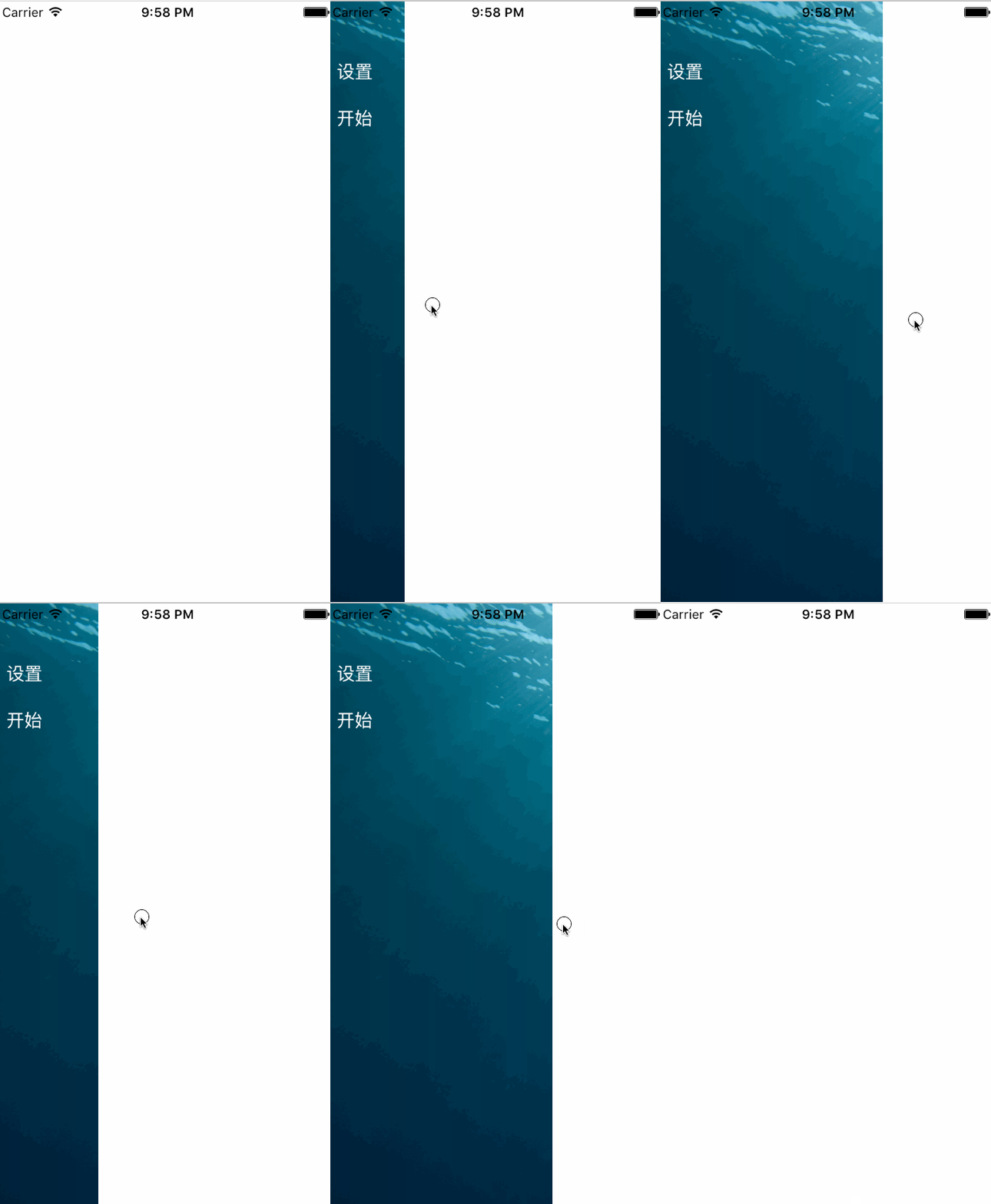
原始碼:https://github.com/YouXianMing/iOS-Project-Examples 中的 SideViewController
這個實作的巧思在於把「拖動」與「吸附」拆成兩件事:拖動過程中讓 mainView 的 x 座標直接跟著手指位移走,手勢結束時再用一段短動畫把它吸附到「全開」或「全關」其中一端。同時用 sensitivePosition 做為判定門檻,並在動畫開始時依當前狀態補上 gap 偏移,避免第二次拖動時起始點錯位。
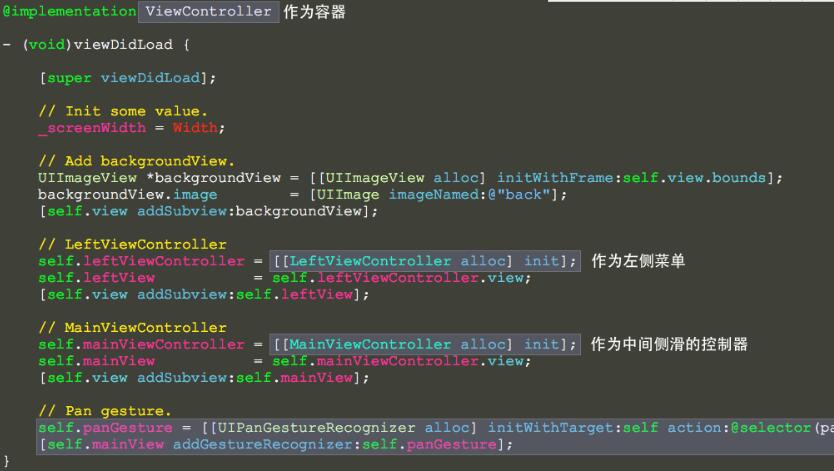
// // ViewController.m // SideViewController // // Created by YouXianMing on 16/6/6. // Copyright © 2016年 YouXianMing. All rights reserved. // #import "ViewController.h" #import "LeftViewController.h" #import "MainViewController.h" #import "UIView+SetRect.h" @interface ViewController () { CGFloat _screenWidth; } @property (nonatomic, strong) UIPanGestureRecognizer *panGesture; @property (nonatomic) CGPoint panBeginPoint; @property (nonatomic, strong) LeftViewController *leftViewController; @property (nonatomic, strong) UIView *leftView; @property (nonatomic, strong) MainViewController *mainViewController; @property (nonatomic, strong) UIView *mainView; @end @implementation ViewController - (void)viewDidLoad { [super viewDidLoad]; // 初始化數值 _screenWidth = Width; // 加上背景 UIImageView *backgroundView = [[UIImageView alloc] initWithFrame:self.view.bounds]; backgroundView.image = [UIImage imageNamed:@"back"]; [self.view addSubview:backgroundView]; // LeftViewController self.leftViewController = [[LeftViewController alloc] init]; self.leftView = self.leftViewController.view; [self.view addSubview:self.leftView]; // MainViewController self.mainViewController = [[MainViewController alloc] init]; self.mainView = self.mainViewController.view; [self.view addSubview:self.mainView]; // 平移手勢 self.panGesture = [[UIPanGestureRecognizer alloc] initWithTarget:self action:@selector(panGestureEvent:)]; [self.mainView addGestureRecognizer:self.panGesture]; } - (void)panGestureEvent:(UIPanGestureRecognizer *)gesture { CGPoint translation = [gesture translationInView:gesture.view]; CGPoint velocity = [gesture velocityInView:gesture.view]; CGFloat gap = _screenWidth / 3.f * 2; CGFloat sensitivePosition = _screenWidth / 2.f; if (velocity.x < 0 && _mainView.x <= 0) { // 過濾掉向左滑過頭的情況 _mainView.x = 0.f; } else { if (gesture.state == UIGestureRecognizerStateBegan) { // 開始 _panBeginPoint = translation; if (_mainView.x >= sensitivePosition) { _panBeginPoint.x -= gap; } } else if (gesture.state == UIGestureRecognizerStateChanged) { // 值改變中 _mainView.x = translation.x - _panBeginPoint.x; if (_mainView.x <= 0) { // 過濾掉向左滑過頭的情況 _mainView.x = 0.f; } } else if (gesture.state == UIGestureRecognizerStateEnded) { // 結束 [UIView animateWithDuration:0.20f animations:^{ _mainView.x >= sensitivePosition ? (_mainView.x = gap) : (_mainView.x = 0); }]; } } } @end
另外提醒一個實務上的坑:手勢掛在 mainView 上時,記得處理與內部 scrollView/collectionView 的優先順序衝突,否則橫向滑動會被吃掉。以上就是側滑欄的完整實作,希望對大家有幫助。
- 上一篇文章: iOS 頁面跳轉全攻略:五種常見方式與適用場景
- 下一篇文章: iOS 倒數計時實作:電商搶購活動剩餘時間計算