
iOS 遊戲開發:Objective-C 打造五子棋對戰棋盤
編輯:iOS 相關教學
先看效果圖
- 功能展示
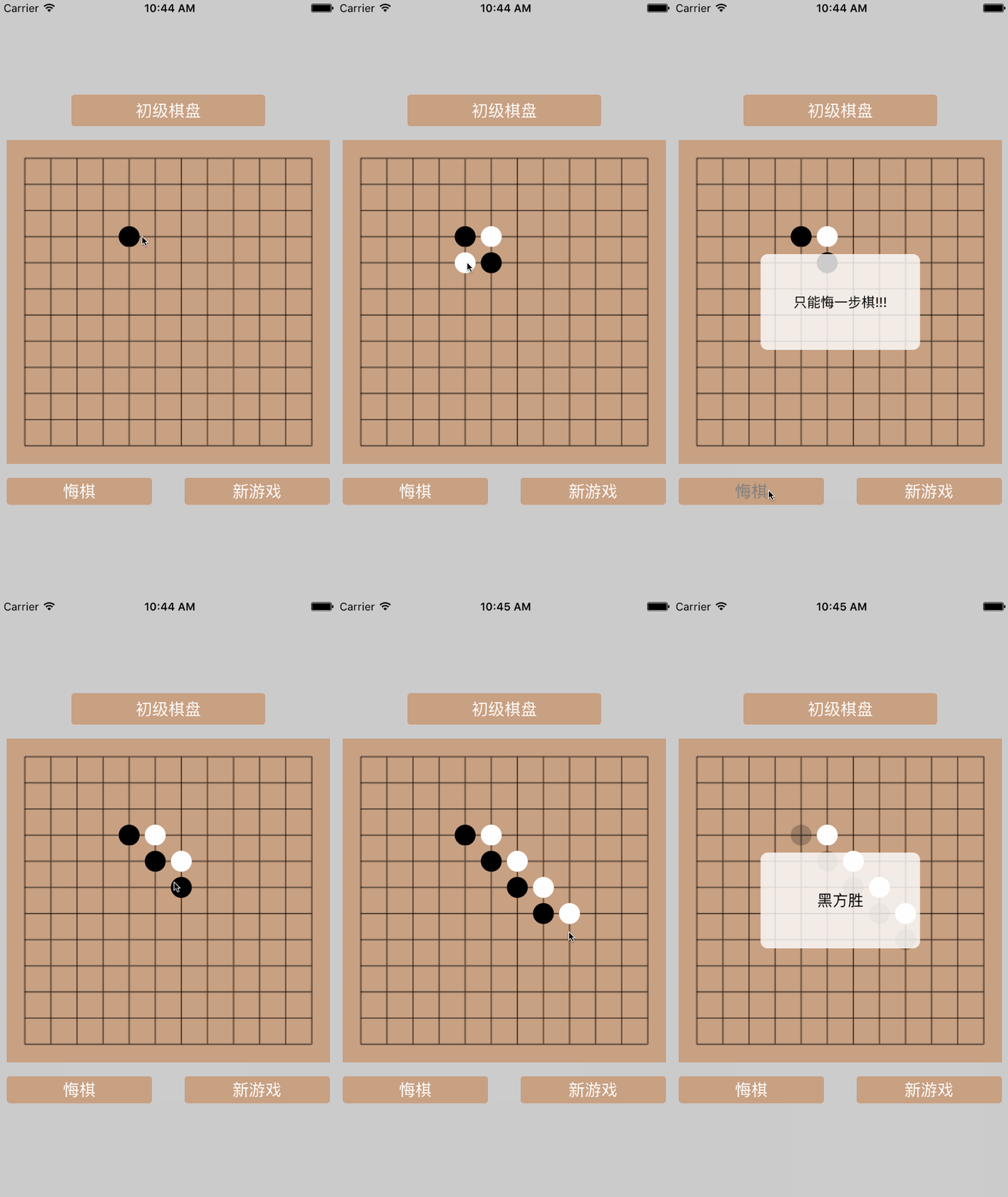
- 初級/高級棋盤切換
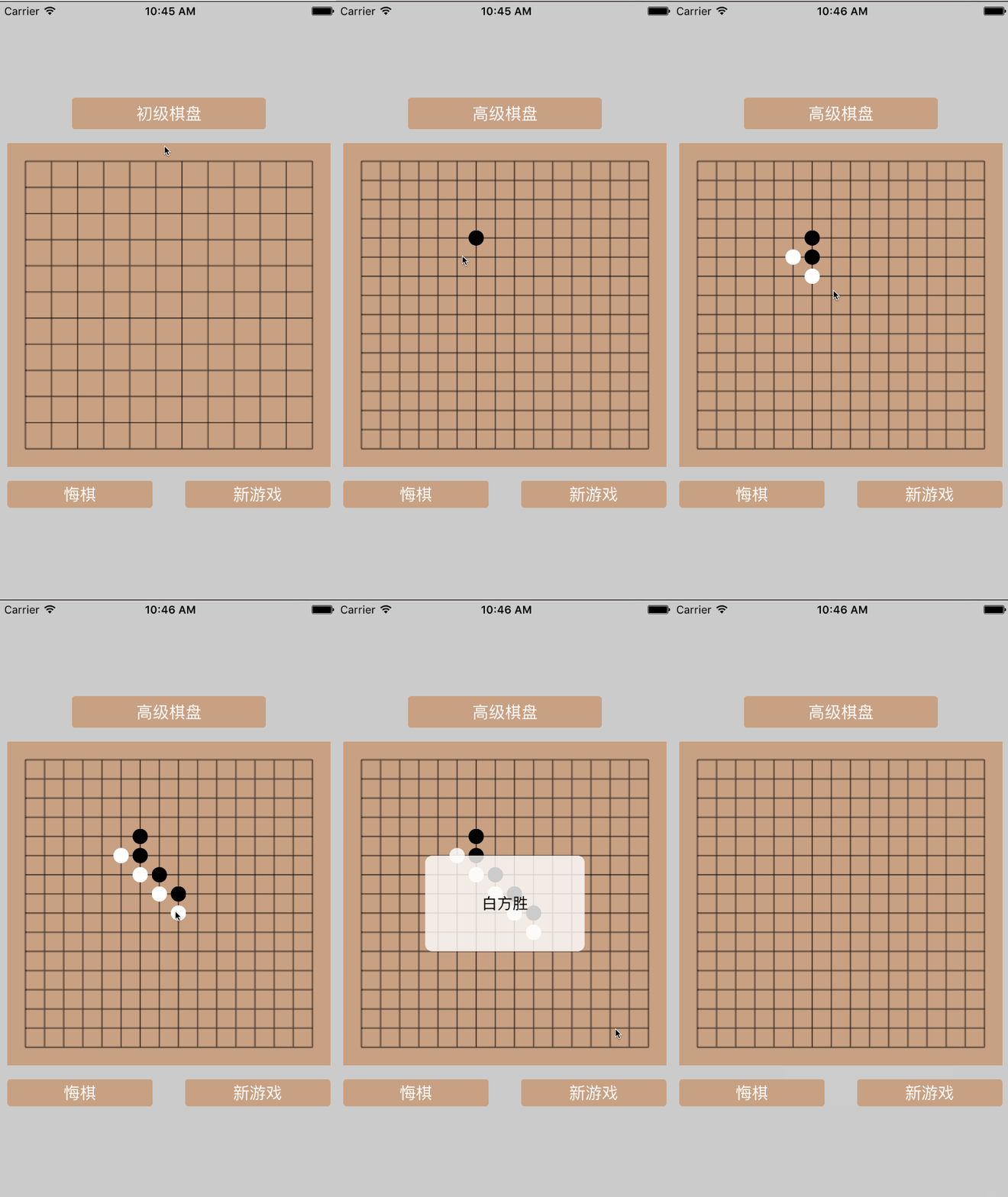
實現思路與主要程式碼
一、繪製棋盤
用 Quartz2D 把棋盤畫出來:
- (void)drawBackground:(CGSize)size{ self.gridWidth = (size.width - 2 * kBoardSpace) / self.gridCount; //1.開啟圖像上下文 UIGraphicsBeginImageContext(size); //2.取得上下文 CGContextRef ctx = UIGraphicsGetCurrentContext(); CGContextSetLineWidth(ctx, 0.8f); //3.1 畫 16 條縱線 for (int i = 0; i <= self.gridCount; i ++) { CGContextMoveToPoint(ctx, kBoardSpace + i * self.gridWidth , kBoardSpace); CGContextAddLineToPoint(ctx, kBoardSpace + i * self.gridWidth , kBoardSpace + self.gridCount * self.gridWidth); } //3.1 畫 16 條橫線 for (int i = 0; i <= self.gridCount; i ++) { CGContextMoveToPoint(ctx, kBoardSpace, kBoardSpace + i * self.gridWidth ); CGContextAddLineToPoint(ctx, kBoardSpace + self.gridCount * self.gridWidth , kBoardSpace + i * self.gridWidth); } CGContextStrokePath(ctx); //4.取得生成好的圖片 UIImage *image=UIGraphicsGetImageFromCurrentImageContext(); //5.把圖片顯示到 imageView 上 UIImageView * imageView = [[UIImageView alloc]initWithImage:image]; [self addSubview:imageView]; UIGraphicsEndImageContext(); }
二、點擊棋盤落子
1)由落子座標反推行號與列號。
2)檢查該位置是否已有棋子,有的話不能下;沒有的話把棋子存進字典,key 用「列號-行號」組成的字串。
//點擊棋盤落子 - (void)tapBoard:(UITapGestureRecognizer *)tap{ CGPoint point = [tap locationInView:tap.view]; //計算落子的列號與行號 NSInteger col = (point.x - kBoardSpace + 0.5 * self.gridWidth) / self.gridWidth; NSInteger row = (point.y - kBoardSpace + 0.5 * self.gridWidth) / self.gridWidth; NSString * key = [NSString stringWithFormat:@"%ld-%ld",col,row]; if (![self.chessmanDict.allKeys containsObject:key]) { UIView * chessman = [self chessman]; chessman.center = CGPointMake(kBoardSpace + col * self.gridWidth, kBoardSpace + row * self.gridWidth); [self addSubview:chessman]; [self.chessmanDict setValue:chessman forKey:key]; self.lastKey = key; //檢查輸贏 [self checkResult:col andRow:row andColor:self.isBlack]; self.isBlack = !self.isBlack; } }
三、判定勝負
每落一子就要檢查一次:判斷四個方向上是否存在五個以上同色棋子連成一線。演算法是從當前棋子出發先往一側遍歷,遇到不同色就停,累加同色數量;再往反方向做同樣的事,兩段加總即為該方向的連線長度。
//判斷是否有五個以上同色相連 - (BOOL)checkResult:(NSInteger)col andRow:(NSInteger)row andColor:(BOOL)isBlack andDirection:(GmkDirection)direction{ if (self.sameChessmanArray.count >= 5) { return YES; } UIColor * currentChessmanColor = [self.chessmanDict[[NSString stringWithFormat:@"%ld-%ld",col,row]] backgroundColor]; [self.sameChessmanArray addObject:self.chessmanDict[self.lastKey]]; switch (direction) { //水平方向 case GmkHorizontal:{ //向前遍歷 for (NSInteger i = col - 1; i > 0; i --) { NSString * key = [NSString stringWithFormat:@"%ld-%ld",i,row]; if (![self.chessmanDict.allKeys containsObject:key] || [self.chessmanDict[key] backgroundColor] != currentChessmanColor) break; [self.sameChessmanArray addObject:self.chessmanDict[key]]; } //向後遍歷 for (NSInteger i = col + 1; i < kGridCount; i ++) { NSString * key = [NSString stringWithFormat:@"%ld-%ld",i,row]; if (![self.chessmanDict.allKeys containsObject:key] || [self.chessmanDict[key] backgroundColor] != currentChessmanColor) break; [self.sameChessmanArray addObject:self.chessmanDict[key]]; } if (self.sameChessmanArray.count >= 5) { [self alertResult]; return YES; } [self.sameChessmanArray removeAllObjects]; } break; case GmkVertical:{ //向前遍歷 for (NSInteger i = row - 1; i > 0; i --) { NSString * key = [NSString stringWithFormat:@"%ld-%ld",col,i]; if (![self.chessmanDict.allKeys containsObject:key] || [self.chessmanDict[key] backgroundColor] != currentChessmanColor) break; [self.sameChessmanArray addObject:self.chessmanDict[key]]; } //向後遍歷 for (NSInteger i = row + 1; i < kGridCount; i ++) { NSString * key = [NSString stringWithFormat:@"%ld-%ld",col,i]; if (![self.chessmanDict.allKeys containsObject:key] || [self.chessmanDict[key] backgroundColor] != currentChessmanColor) break; [self.sameChessmanArray addObject:self.chessmanDict[key]]; } if (self.sameChessmanArray.count >= 5) { [self alertResult]; return YES; } [self.sameChessmanArray removeAllObjects]; } break; case GmkObliqueDown:{ //向前遍歷 NSInteger j = col - 1; for (NSInteger i = row - 1; i >= 0; i--,j--) { NSString * key = [NSString stringWithFormat:@"%ld-%ld",j,i]; if (![self.chessmanDict.allKeys containsObject:key] || [self.chessmanDict[key] backgroundColor] != currentChessmanColor || j < 0) break; [self.sameChessmanArray addObject:self.chessmanDict[key]]; } //向後遍歷 j = col + 1; for (NSInteger i = row + 1 ; i < kGridCount; i++,j++) { NSString * key = [NSString stringWithFormat:@"%ld-%ld",j,i]; if (![self.chessmanDict.allKeys containsObject:key] || [self.chessmanDict[key] backgroundColor] != currentChessmanColor || j > kGridCount) break; [self.sameChessmanArray addObject:self.chessmanDict[key]]; } if (self.sameChessmanArray.count >= 5) { [self alertResult]; return YES; } [self.sameChessmanArray removeAllObjects]; } break; case GmkObliqueUp:{ //向前遍歷 NSInteger j = col + 1; for (NSInteger i = row - 1; i >= 0; i--,j++) { NSString * key = [NSString stringWithFormat:@"%ld-%ld",j,i]; if (![self.chessmanDict.allKeys containsObject:key] || [self.chessmanDict[key] backgroundColor] != currentChessmanColor || j > kGridCount) break; [self.sameChessmanArray addObject:self.chessmanDict[key]]; } //向後遍歷 j = col - 1; for (NSInteger i = row + 1 ; i < kGridCount; i++,j--) { NSString * key = [NSString stringWithFormat:@"%ld-%ld",j,i]; if (![self.chessmanDict.allKeys containsObject:key] || [self.chessmanDict[key] backgroundColor] != currentChessmanColor || j < 0) break; [self.sameChessmanArray addObject:self.chessmanDict[key]]; } if (self.sameChessmanArray.count >= 5) { [self alertResult]; return YES; } [self.sameChessmanArray removeAllObjects]; } break; } return NO; }
對外提供的三個介面:重新開始、悔棋、切換棋盤等級
重新開始
- (void)newGame{ self.isOver = NO; self.lastKey = nil; [self.sameChessmanArray removeAllObjects]; self.userInteractionEnabled = YES; [self.chessmanDict removeAllObjects]; for (UIView * view in self.subviews) { if ([view isKindOfClass:[UIImageView class]]) { continue; } [view removeFromSuperview]; } self.isBlack = NO; }
悔棋
//撤回上一步 - (void)backOneStep:(UIButton *)sender{ if(self.isOver) return; if (self.lastKey == nil) { sender.enabled = NO; CGFloat width = SCREEN_WIDTH * 0.4 * SCREEN_WIDTH_RATIO; UIView * tip = [[UIView alloc]initWithFrame:CGRectMake(0, 0, width, 0.6 * width)]; tip.backgroundColor = [UIColor colorWithWhite:1 alpha:0.8]; tip.layer.cornerRadius = 8.0f; [self addSubview:tip]; tip.center = CGPointMake(self.width * 0.5, self.height * 0.5); UILabel * label = [[UILabel alloc]init]; label.text = self.chessmanDict.count > 0 ? @"只能悔一步棋!!!" : @"請先落子!!!"; label.font = [UIFont systemFontOfSize:15]; [label sizeToFit]; label.center = CGPointMake(tip.width * 0.5, tip.height * 0.5); [tip addSubview:label]; self.userInteractionEnabled = NO; dispatch_after(dispatch_time(DISPATCH_TIME_NOW, (int64_t)(2.0 * NSEC_PER_SEC)), dispatch_get_main_queue(), ^{ self.userInteractionEnabled = YES; sender.enabled = YES; [tip removeFromSuperview]; }); return; } [self.chessmanDict removeObjectForKey:self.lastKey]; [self.subviews.lastObject removeFromSuperview]; self.isBlack = !self.isBlack; self.lastKey = nil; }
切換初級/高級棋盤
//改變棋盤等級 - (void)changeBoardLevel{ for (UIView * view in self.subviews) { [view removeFromSuperview]; } [self newGame]; self.isHighLevel = !self.isHighLevel; [self drawBackground:self.bounds.size]; }
Demo 裡的一個小技巧
用字典存棋子,key 是「列號-行號」的字串,value 是棋子 view。這樣要判斷某行某列有沒有子,只需一次查表,比四維陣列直觀得多。
小結
以上就是 iOS 五子棋(Objective-C 版)的完整實作。棋類遊戲很適合拿來練手,因為規則明確、狀態簡單,卻能同時磨到繪圖、手勢、資料結構三塊。若有任何不足之處,也歡迎提出建議。