
打造 Mac OS X 10.5 風格 DOCK:Stack 教學
編輯:iOS 相關教學
作者:Likefeel
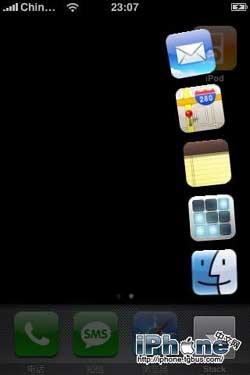
Stack for Mobile OS X aims to bring the power of Stacks to the Mobile OS X Dock, or Button Bar.
這是個很有意思的工具,能讓你的 DOCK 做出 Mac OS X 10.5 那種堆疊效果,而且相當實用。
安裝步驟
下載附件後,用 WinSCP 把 StackController.app 放到 iPhone 的 /Applications 裡,然後把這兩個檔案都加上 755 屬性(在 WinSCP 中按右鍵即可設定):
/StackController.app/stack_controller
/StackController.app/Stack.app/stack_binary
如果你是用 iBus 安裝 StackController-R128.pxl,就不用改屬性,重開機即可使用。
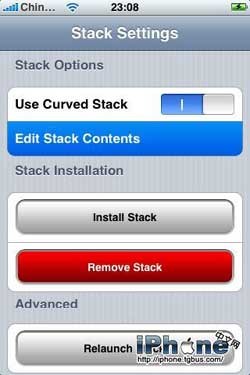
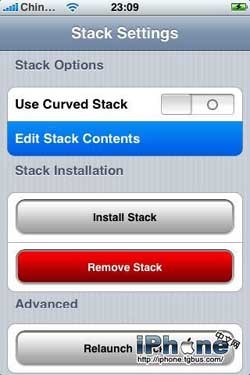
接著重新啟動 iPhone,打開 StackController 點 install Stack,再重開一次 iPhone。
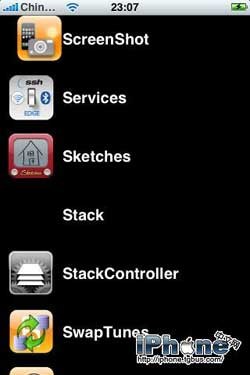
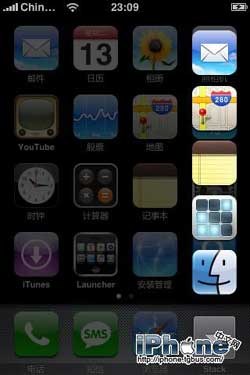
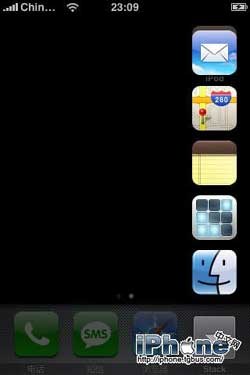
這裡要特別注意:install Stack 之後會多出一個沒有圖示的 Stack 程式(下圖可見),請不要執行它,否則會出錯並讓 iPhone 假死。


- 上一篇文章: iPhone PC Suite 圖解:備份與還原原來這麼簡單
- 下一篇文章: 1.0.2 與 1.1.1 用戶的 iPhone 漢化速成